
Pitch, key lock & platter control
Everything that changes how fast (and in what direction) a deck spins, and how the app keeps the music sounding right while you do it.
The pitch fader and its three ranges
The pitch fader (printed PITCH) runs the deck's speed. It works across three selectable ranges:
- ±8% — the classic vinyl feel, finest control
- ±16% — wider swings for bigger tempo jumps
- ±50% — half-speed to 1.5× territory
Two ways to switch range:
- On screen: the range is printed at both ends of the on-screen pitch
fader —
-16at the top,+16at the bottom, because slower is up, the way it is on the turntable. Tap either readout to cycle the range. - On the hardware: press the Pitch Range button (printed RANGE) to cycle through your ranges. Hold it for about two seconds instead to toggle the decimal display.
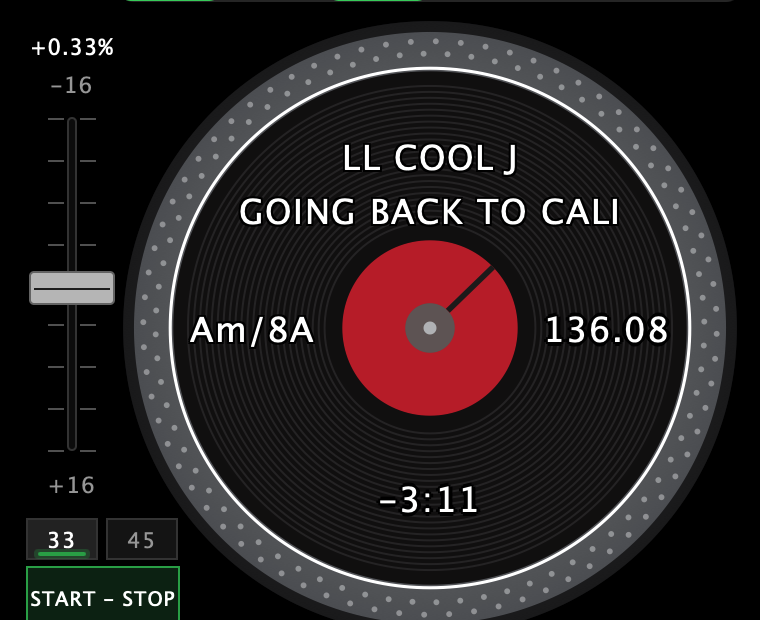
The live pitch percentage sits on the fader too, just above the top readout. On a layout with no fader beside the platter, the range moves back onto the deck button bar and the pitch percentage back onto the record.
On the record itself, the pitch and the key sit in the groove band on the fader side — deck 1 at 9 o'clock, deck 2 at 3 o'clock — and the BPM sits opposite them.
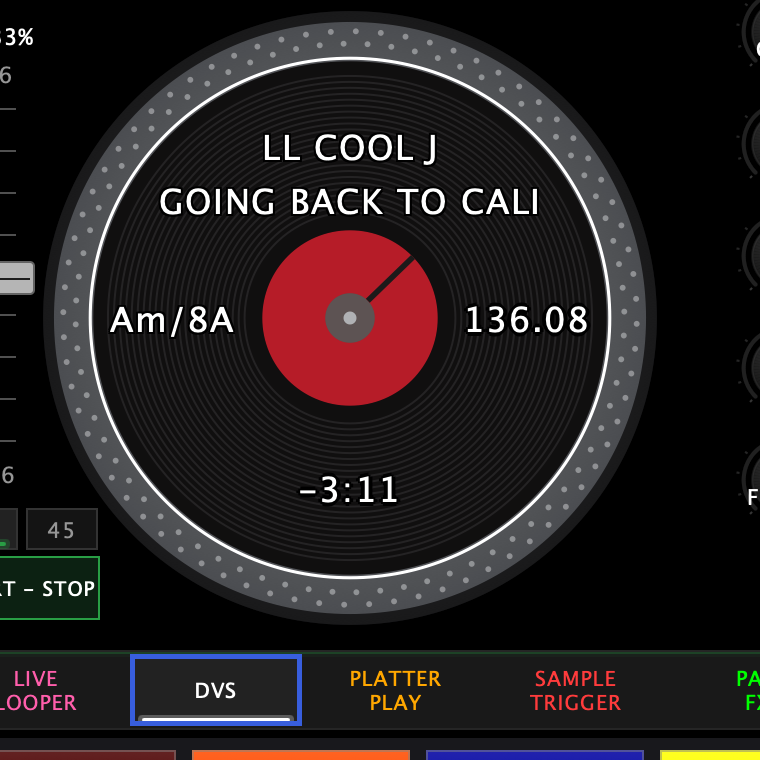
Which ranges you get is yours to set: Settings → Customize → Turntable has a default range, and lets you take one out of the cycle entirely if you never use it.
Key lock
Key lock keeps the music in its original key while the pitch fader changes the tempo — speed up or slow down a record without it going chipmunk or sludgy.
⚡ To toggle it (per deck), either of these:
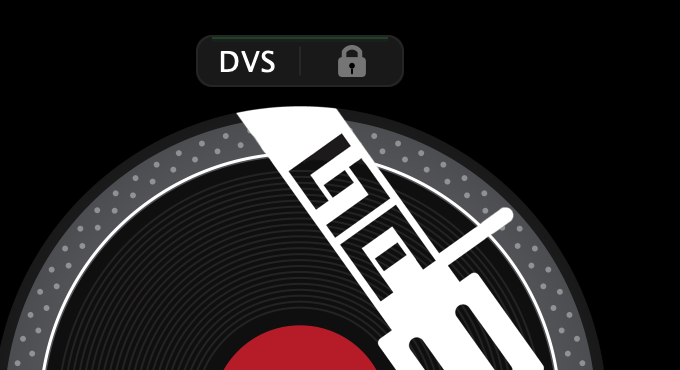
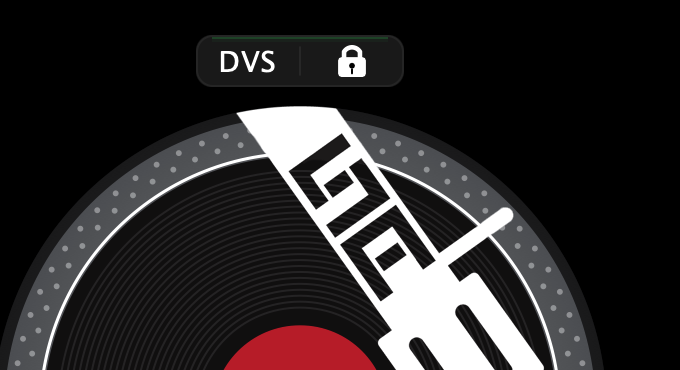
- the key lock padlock on the on-screen deck button bar
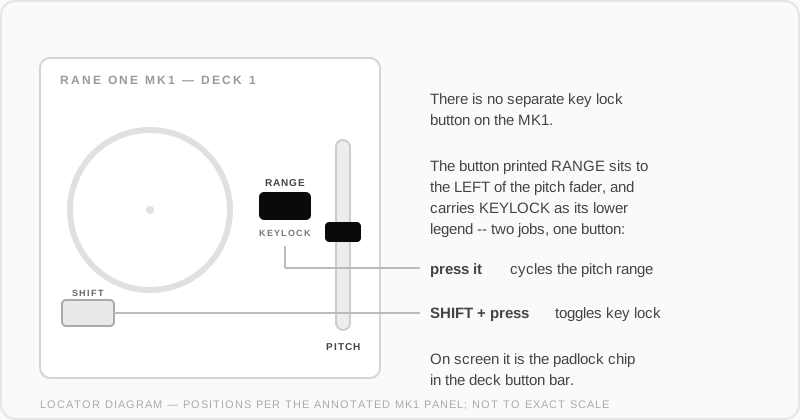
- SHIFT + the button printed RANGE
There is no button printed "key lock" on either deck. The pitch range button does both jobs, and says so: KEYLOCK is printed with it as its shifted legend, the same way SLIP carries MOTOR OFF. Rane's own manual calls the control "Pitch Range / Keylock".
Platter speed: 33 and 45
The 33 and 45 buttons set the platter's base speed.
The on-screen 33 / 45 chip — tucked into the corner of the turntable unit beside the platter, above START – STOP — does the same. Which one a deck starts on is set in Settings → Customize → Turntable → Startup RPM. The app tracks which speed you're on — saved tempos and BPM readouts are adjusted for it automatically.
Motor off and wind-down
-
START/STOP is the motor button — the classic turntable start/stop.
-
The wind-down button sits right of the platter, printed SLIP with MOTOR OFF as its lower legend. Tap it and the record slows to a stop like the power was pulled.
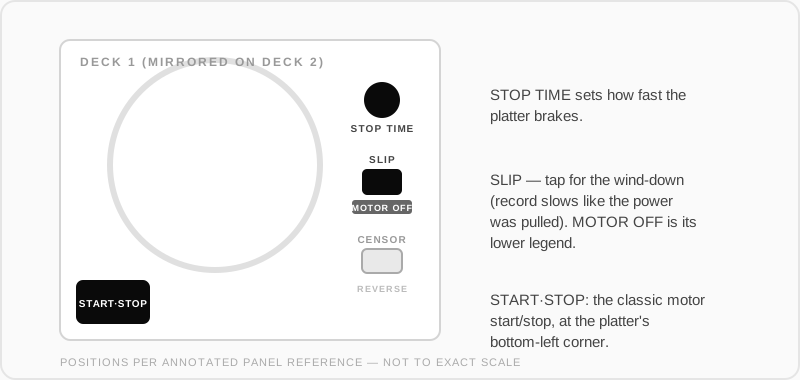
- The Stop Time knob (printed STOP TIME) sets how quickly the platter brakes when you stop it.
Instant zero: the CENSOR button
In Skratch Attach the button printed CENSOR works as a pitch-zero toggle: press it and the deck jumps to a true 0% — the motor runs at exactly nominal speed and the display reads 0.00%, no matter where the fader sits. Press it again and the deck returns to your physical fader position. Key lock follows along correctly in both directions.
Reverse
The button printed REVERSE toggles motor reverse — the platter itself spins backwards until you toggle it off. Its LED blinks while reverse is engaged.
The pitch bend buttons
The buttons printed PITCH BEND + and PITCH BEND - are pad volume up / down for the selected pad — which nobody would guess from the legend, so the deck tells you what it's doing.
The touchstrip above that deck's platter fills as an eight-segment bar while you hold the buttons. The other deck's strip clears. It is the same bar the contour knobs use.
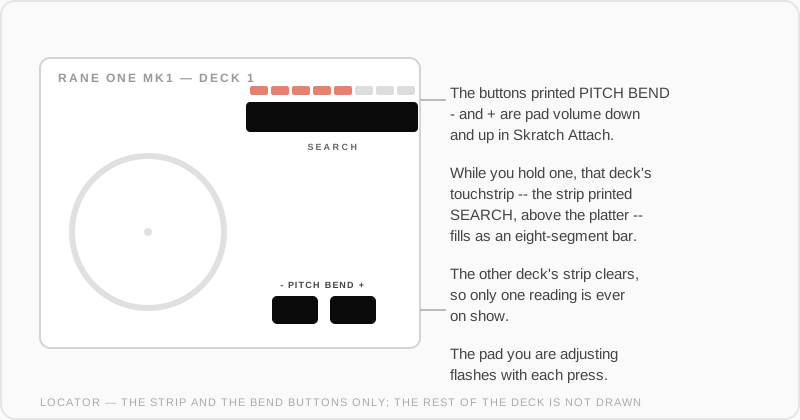
The pad you're adjusting flashes with each press. At the top of its range it flashes a warning colour and holds for two seconds, so you know you've run out of room rather than wondering why nothing is getting louder. The bar clears itself about two seconds after your last press, and the live meters come back.
The BPM readout
Each deck's BPM is the record's gridded tempo, scaled by your platter speed and your pitch fader. Grid the record properly and the number is accurate — and the pitch fader reads to two decimal places, so you can see what you're riding.
See Record analysis & grids for gridding a record, and Wax-ID for what gets saved.