
Wax-ID
A digital fingerprint of an analog record. Play a record once and Skratch Attach learns it — so the next time you drop the needle, it recognises the track and loads its data automatically.
⚡ Start here: long-press the centre of a platter to open your WAX-ID LIBRARY, then tap + CREATE NEW WAX-ID and follow the guided log. One record, under two minutes.
What a Wax-ID contains
- The acoustic fingerprint — the match key
- Artist and title
- BPM and beat grid
- Optionally, a key, mix markers, and a FLAC archive of the take
No audio is required. The ID is data about the record, not a copy of it. The archive is a separate, optional extra.
Making one: the guided log
Long-press the platter centre on an analog deck to open the WAX-ID LIBRARY for that deck. (On a deck that's in DVS the same long-press opens the song browser instead — digital songs are the DVS workflow, records are this one.) Then tap + CREATE NEW WAX-ID.
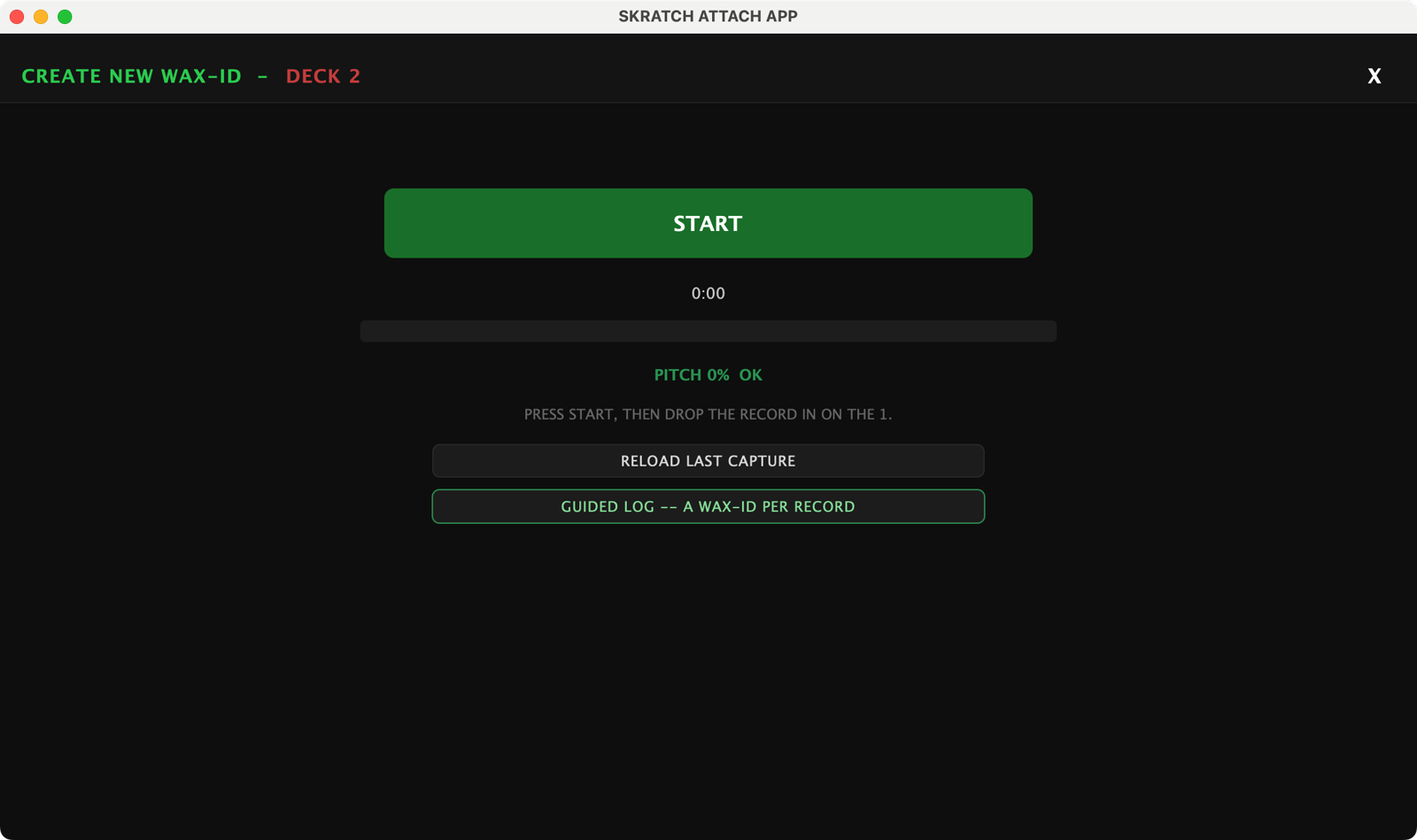
The overlay is headed CREATE NEW WAX-ID, with a GUIDED LOG — A WAX-ID PER RECORD chip under the START button, and walks you through it:
-
Set the pitch fader to zero. The view guards this, because the stored tempo has to be the record's natural one.
-
Press START, then drop the record in on the 1. The app starts capturing before the needle lands, so there's no rush.
-
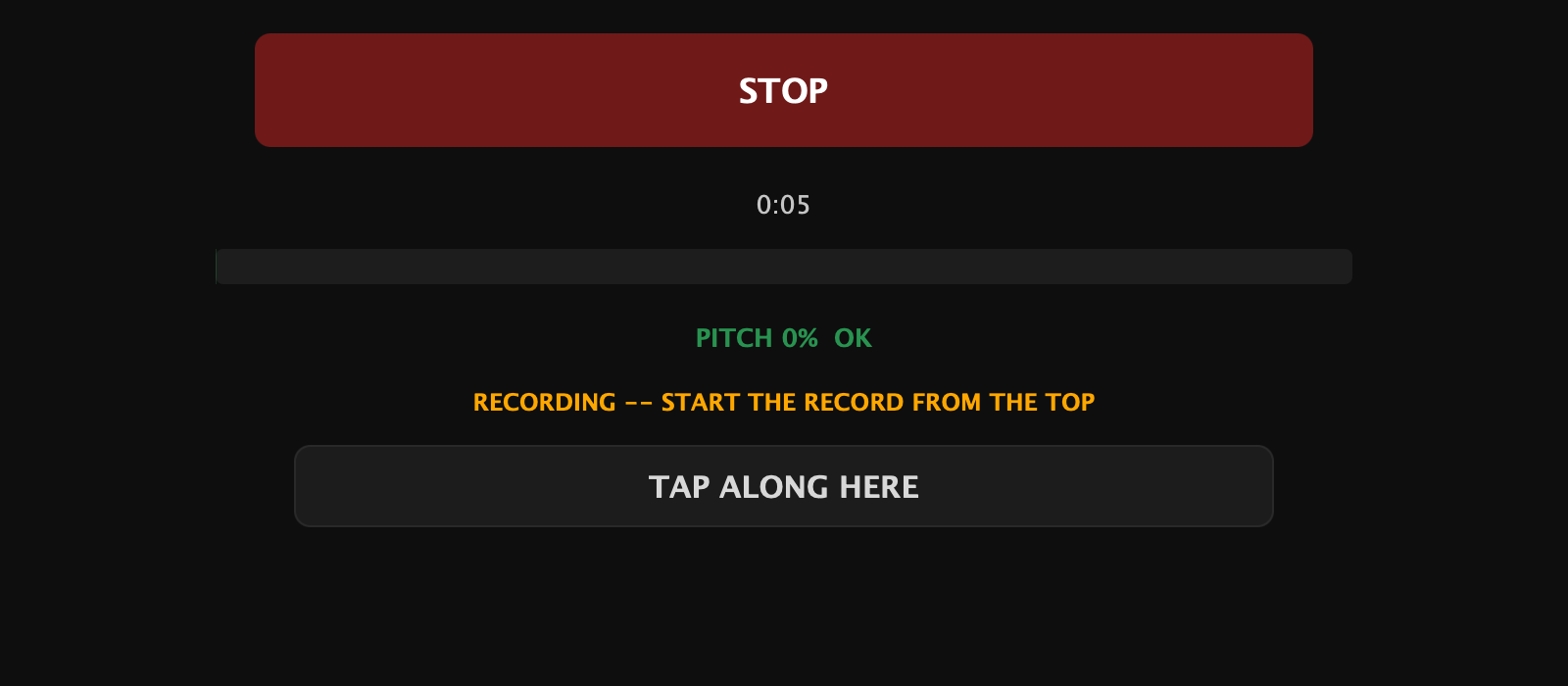
Tap along with the beat. The prompt tells you how you're doing — "GOOD TAPS — KEEP IT PLAYING". Meanwhile the app tries to identify the record on its own; when it can't, you'll see "NO MATCH — NAME IT AT SAVE. KEEP TAPPING."
-
Let it play out. The capture stops itself in the silence after the song — a fade-out counts as music, so the tail is never clipped. Stop it by hand any time; "BPM READY — STOP ANYTIME" tells you when you already have what you came for.
-
Save. Two buttons, not one:
- SAVE + FLAC ARCHIVE — the Wax-ID and a stereo FLAC of the take
- SAVE GRID ONLY — the Wax-ID, no audio
The default is chosen from how the take ended: played all the way out offers the archive, stopped early offers grid-only. Declining the archive also drops any older archive of the same record, so a record can never point at audio that doesn't match its grid.
Archives land in Wax ID Archives inside your music folder
(~/Music/Skratch Attach/Wax ID Archives on Mac), where the Finder and the
Files app can both see them.
Naming a record you can't identify
Identification runs automatically, and for white labels, edits and bootlegs it simply won't find anything — type the artist and title in at save time instead. A Wax-ID doesn't need a name to work: the fingerprint and the grid are the useful parts, and an unnamed record still recognises itself.
Recognition: dropping a record it already knows
With Wax-ID on, the app listens to what's playing. When it recognises a record from your library it offers to load that record's data — you accept, and the BPM and grid arrive without a single tap.
- The offer is always an offer. Nothing loads behind your back.
- NEVER takes a song off the suggestion list for good. That list is reversible — see the settings below.
- Recognition works best when you drop the record from the top, because that's the part of the song the fingerprint was taken from. Mid-song drops fall back to tapping.
Trust: the colour under the number
Not every BPM is worth the same. Every BPM in the app carries a trust colour, shown as an underline beneath the readout and on the library row, so you can see at a glance how much the number has earned:
| Colour | What it means |
|---|---|
| Green | Measured beat grid — the record was analysed |
| Blue | 24 or more taps |
| Yellow | 12 to 23 taps, or a looked-up number |
| Red | Fewer than 12 taps, or an unverified guess |
The same palette is used for the key, so trust reads as one visual language across both numbers.
The prompt is the readout. A record with no BPM alternates NO BPM and TAP TO ADD BPM in the platter's readout slot. A red or yellow one rotates TAP TO FIX BPM. Tap along and, if your run is a strictly better grade than what's stored, a SET BPM? card appears and saves itself five seconds after your last tap — answer NO and it stays quiet for the rest of the play. A record with no BPM at all is written straight away, no card.
Taps never overwrite a green measured grid.
Stars: how complete a record is
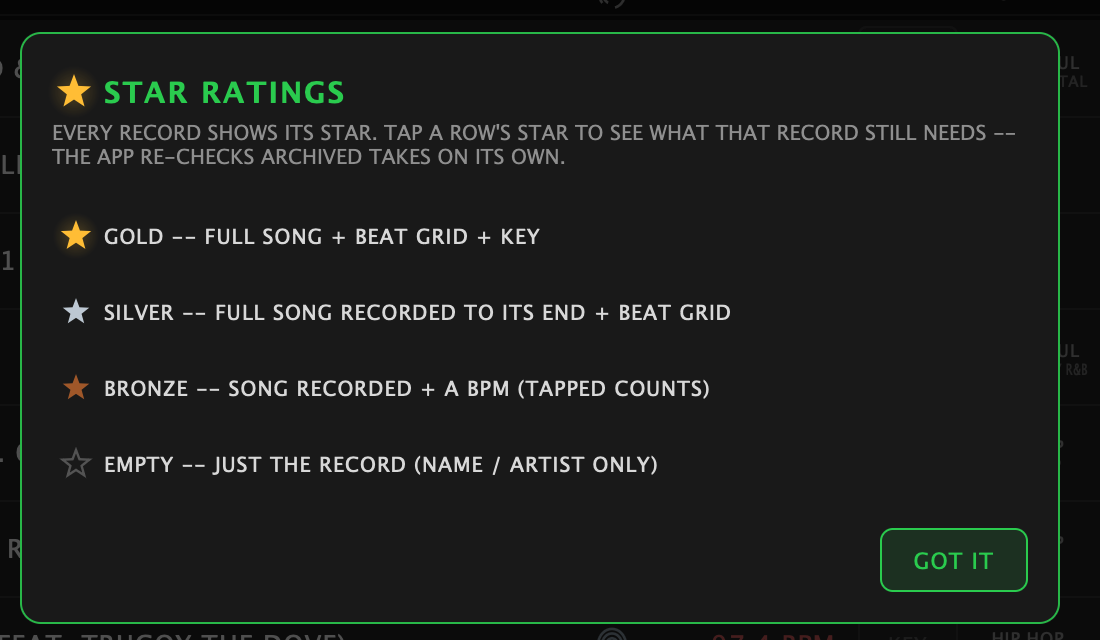
Every record in the library wears a star, and the library header keeps a tally — N/M GOLD. Tap the tally for the legend; tap any row's star to see what that record still needs.
| Star | Earned by |
|---|---|
| Bronze | The song is recorded, and it has a BPM (tapped counts) |
| Silver | The whole song, recorded to its end, plus a measured beat grid |
| Gold | All of the above, plus a key |
| (no star) | Just the record — name and artist only |
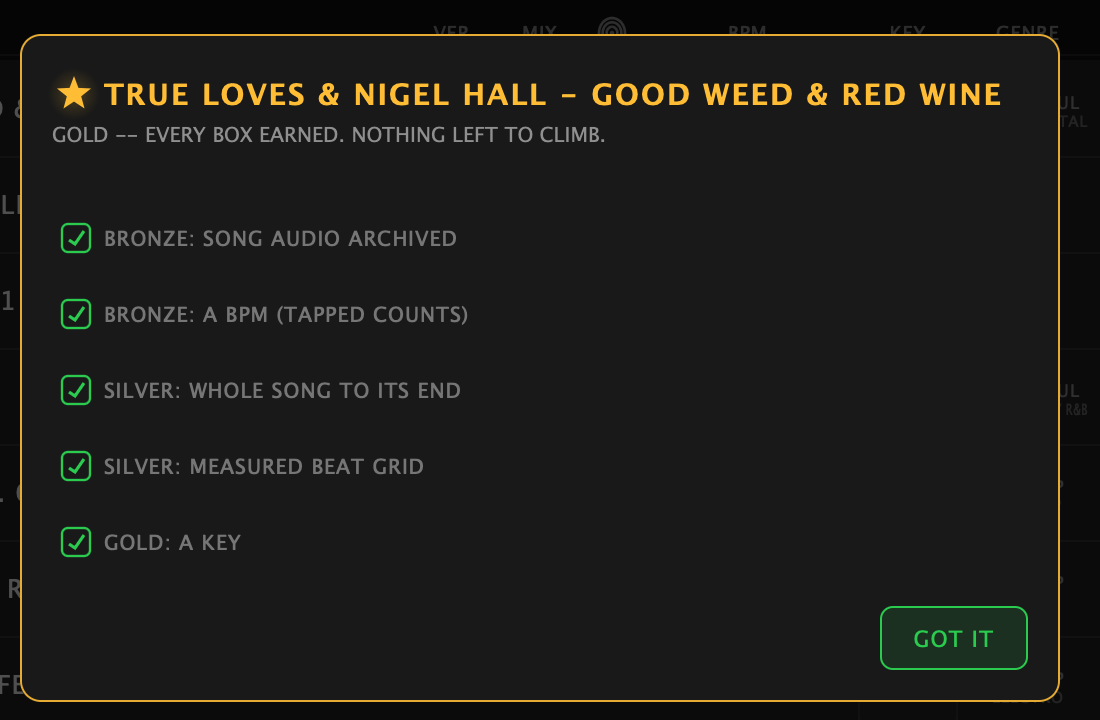
The app re-checks archived takes on its own, so records climb without you doing anything. One case can't prove itself: a song with a hard, cold ending gives the checker no silence to find, so the status card offers CONFIRM FULL TAKE — you vouch that the whole song is on the archive.
Mix markers are not a star requirement.
The library
The WAX-ID LIBRARY is a sortable table — tap a column header to sort, tap it again to flip:
star · NAME · VER · MIX · fingerprint · BPM · KEY · GENRE · YEAR · ADDED
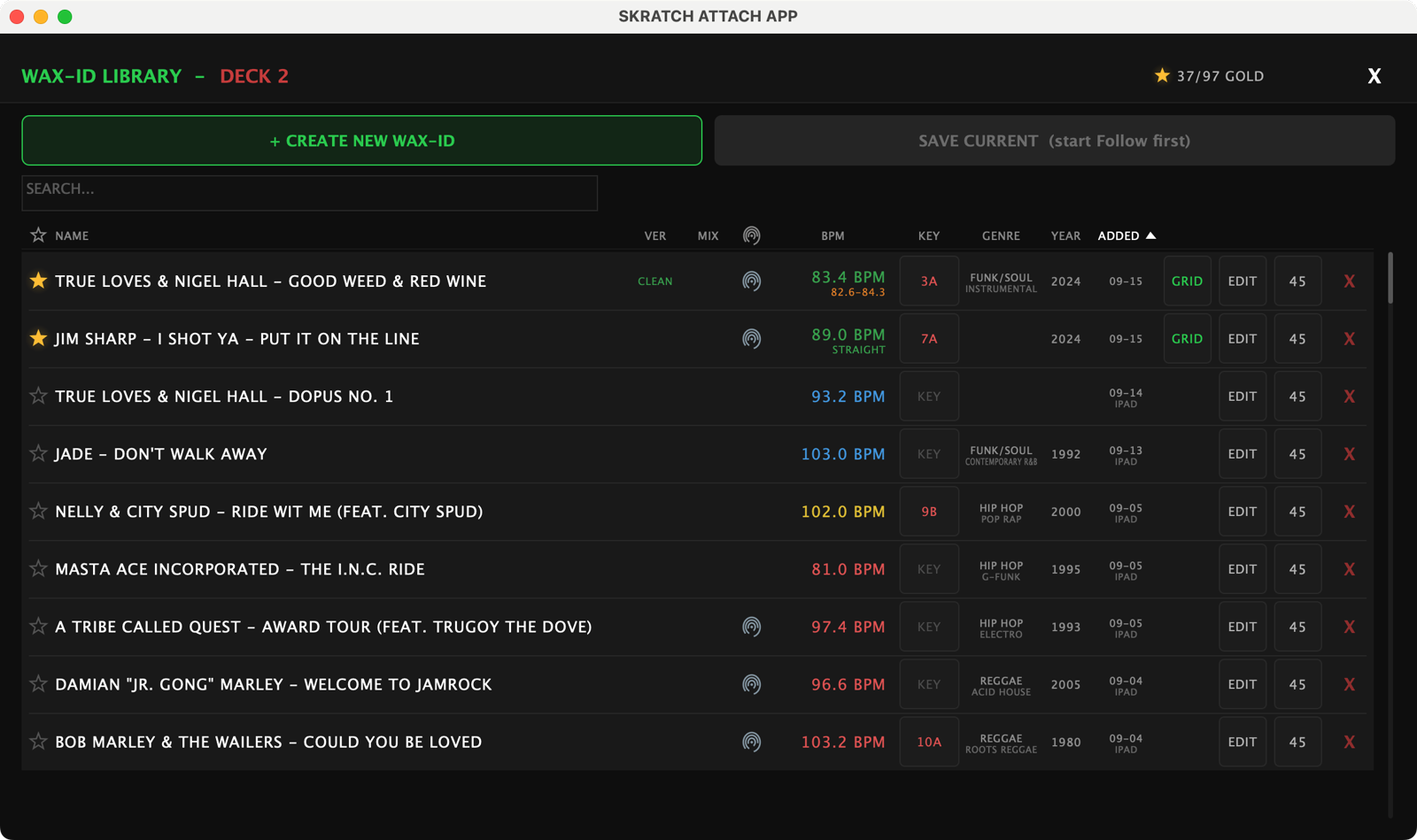
Two of those are glyphs rather than words. The star is the record's tier. The fingerprint means this record can auto-load by sound alone, not just by name. VER marks a clean or dirty version; MIX says mix markers are set.
Search from the box at the top. At the right of every row sit the chips: the KEY chip (the key in its trust colour — tap it to pick one), GRID to reopen the grid editor, EDIT to rename the record or fix its captured platter speed and feel, the 33/45 chip showing the speed it was captured at, and the red X to delete.
Why the capture speed matters: recall scales the saved tempo by your play speed against the capture speed. A record captured while the app thought the platter was on 33 — when it was really on 45 — recalls at the wrong BPM until you fix it with EDIT.
SAVE CURRENT stores the live Follow tempo as a new record without a capture. Start Follow first; the button says so if there's nothing to save.
Settings
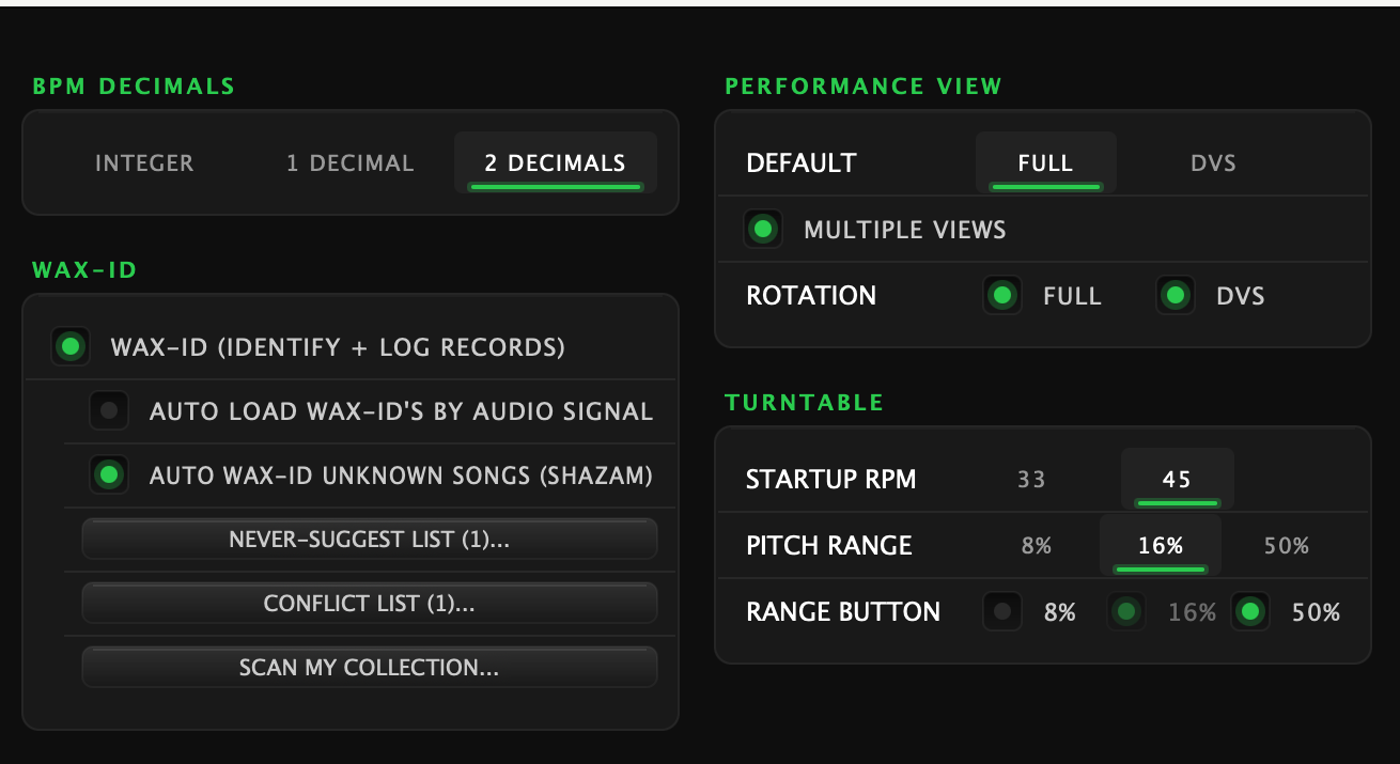
Settings → Customize → Wax-ID:
| Setting | What it does |
|---|---|
| Wax-ID (identify + log records) | The master switch. Off = the whole feature is gone: no listening, no identification, no prompts, no background work |
| Auto load Wax-ID's by audio signal | Offer a matching Wax-ID when a record it knows starts playing |
| Auto Wax-ID unknown songs (Shazam) | Let the app try to name records it doesn't recognise yet |
Below them sits the reversible face of NEVER: a button listing the songs you've told it never to suggest, so you can take one off that list.
See also
- Wax-ID Library & record analysis — the grid editor in detail: marking the 1, MAP BARS, drift grids, truncating and mix markers
- Follow Mode — what a saved tempo drives