
Mixer & contours
On the Rane One, Skratch Attach is the mixer: the physical knobs and faders send their positions to the app, and the app processes the audio — EQ, filter, fader curves, everything. That's why the app can reshape how your mixer section behaves.
The mixer
Per channel: gain, 3-band EQ (hi / mid / low), filter, and the channel fader; plus the crossfader, cue/PFL, and master + headphone levels (Settings → Audio).
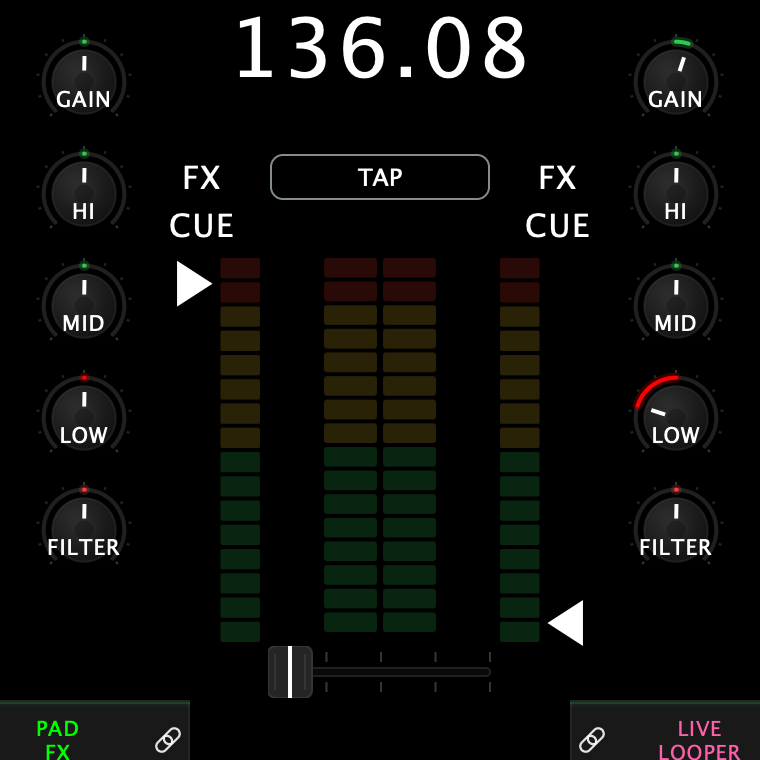
On screen, the channel faders double as live level meters — see the screen tour.
Contours: shape your faders
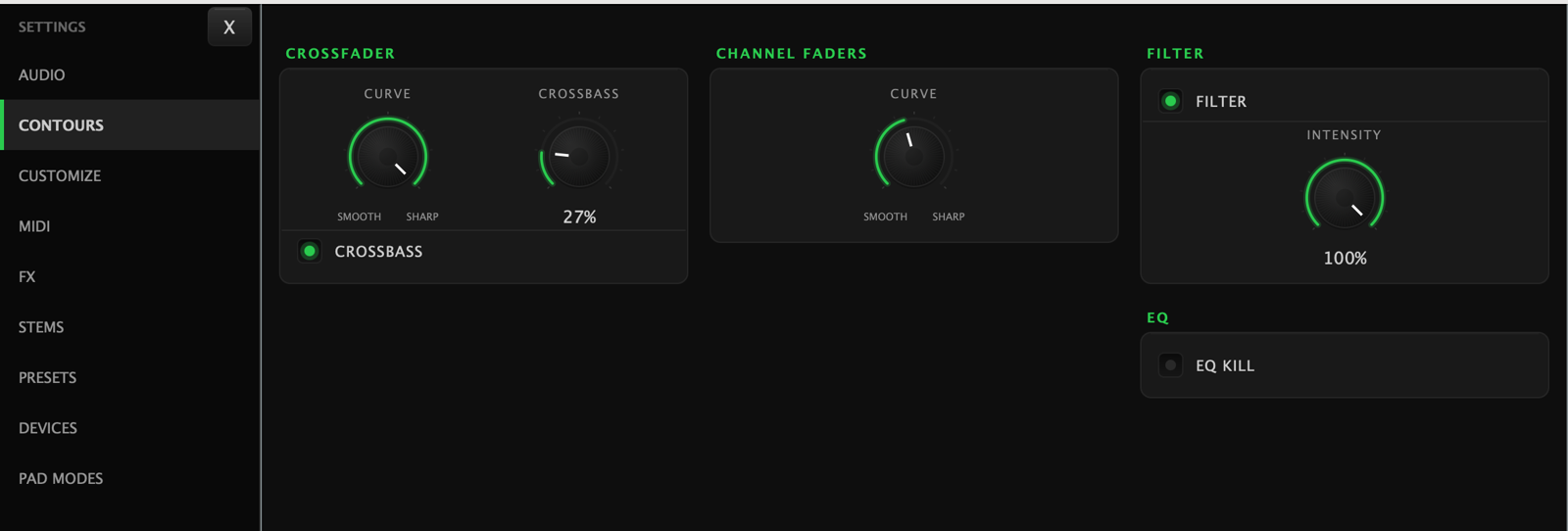
Settings → Contours is where scratch DJs tune the feel:
| Control | What it shapes |
|---|---|
| Crossfader curve | From smooth blend to instant-on cut — set it razor sharp for scratching |
| Channel fader curve | Same idea for the up-faders |
| Filter Intensity | How much resonance the channel filter has. Down is a clean sweep with no ring; up adds resonance as it moves |
| Filter (on/off) | Takes the channel filter out of the audio path entirely |
| EQ Kill (on/off) | Arms the full-cut kills described below |
Setting the curves from the hardware — and reading them back
You don't have to open Settings, and you don't have to look at the screen: the deck itself shows you where the curve is set while you turn the knob.
Turn the contour knobs directly — no Shift needed. They are on the front panel: the knob printed CHANNEL CONTOUR shapes both channel faders, with a REVERSE switch either side of it marked 1 and 2, and CROSSFADER CONTOUR runs SLOW to FAST with its own REVERSE switch.
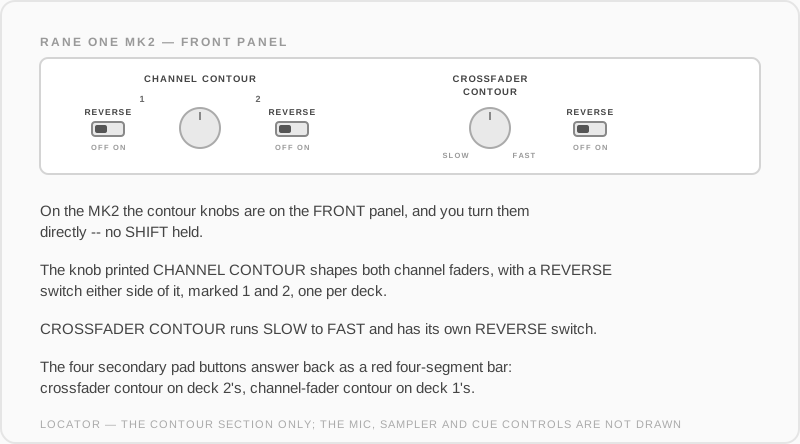
The four secondary pad buttons answer back, lighting red as a four-segment bar. Crossfader contour shows on deck 2's buttons, channel-fader contour on deck 1's.
Either way the live level meters step aside for about two seconds while the setting is shown, then go back to metering.
CrossBass
Crossfader-linked bass control: as you move the crossfader, CrossBass dynamically pulls the bass out of the outgoing side — basslines swap cleanly without touching an EQ knob. It has its own toggle and amount in Contours.
With CrossBass on, the LOW EQ knob on screen draws where the bass actually is — your knob position plus whatever CrossBass is taking out — so the arc tells you the truth mid-blend.
EQ kills
The EQ kill system gives you true full-cut kills (not just −∞ shelf dips) for hip-hop style band drops. Switch the system on in Contours → EQ Kill; the kills themselves are then fired from the hardware — on the Rane One, shift + the FX paddles.