
Sampler
One-shot samples on the pads — horns, vocal stabs, drum hits, whatever you load. On the Rane One it's the fourth mode button, printed SAMPLER.
Pads and banks
- 8 pads × 4 banks per deck.
- Per-pad gain, plus a master sampler level on the hardware.
- Drop your samples into the Samples folder. On Mac the app keeps a shortcut to it at ~/Music/Skratch Attach Samples (the folder itself lives inside the app's own Documents folder, which is not somewhere you'd navigate to by hand); on iOS it's the app's Samples folder in Files.
- Shift + hold a pad opens the sample browser for that pad — the SHIFT button on the controller, or your keyboard's shift key if you're working on screen without one.
The browser opens as the SAMPLE BROWSER, rooted at your Samples folder, with RECORD NEW SAMPLE and IMPORT KIT pinned at the top, plus EDIT PAD SAMPLE when the pad you held is already loaded. The badge top-left names the target: pad, deck and bank.
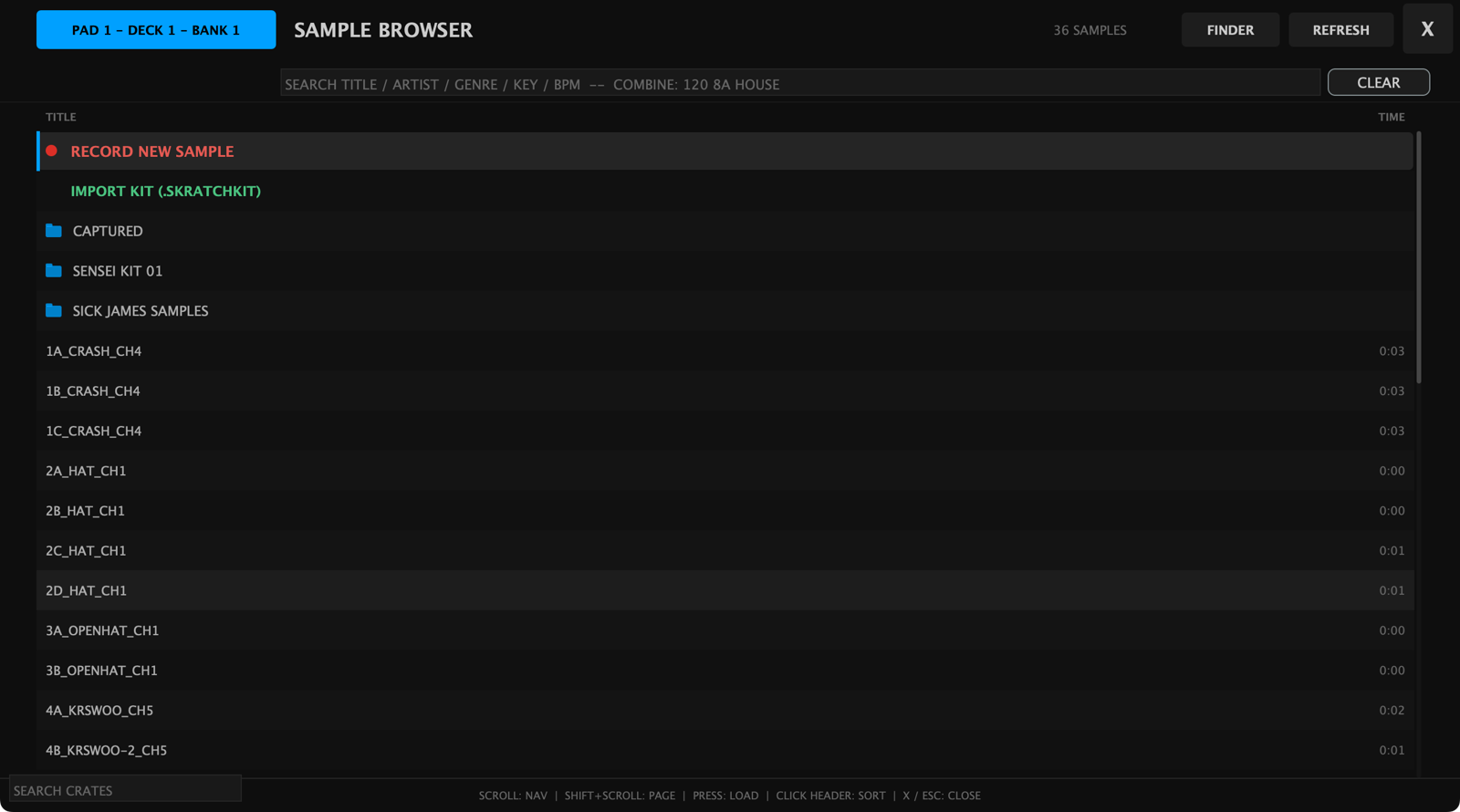
REFRESH rescans the folder, so samples you add while the app is running show up without a restart, and FINDER opens the folder on your Mac.
To fill a whole bank at once, long-press SAMPLE TRIGGER on the on-screen pad mode bar: the same browser opens with a LOAD THIS FOLDER TO 8 PADS row pinned at the top, which loads the folder you have navigated into across all 8 pads of the current bank.
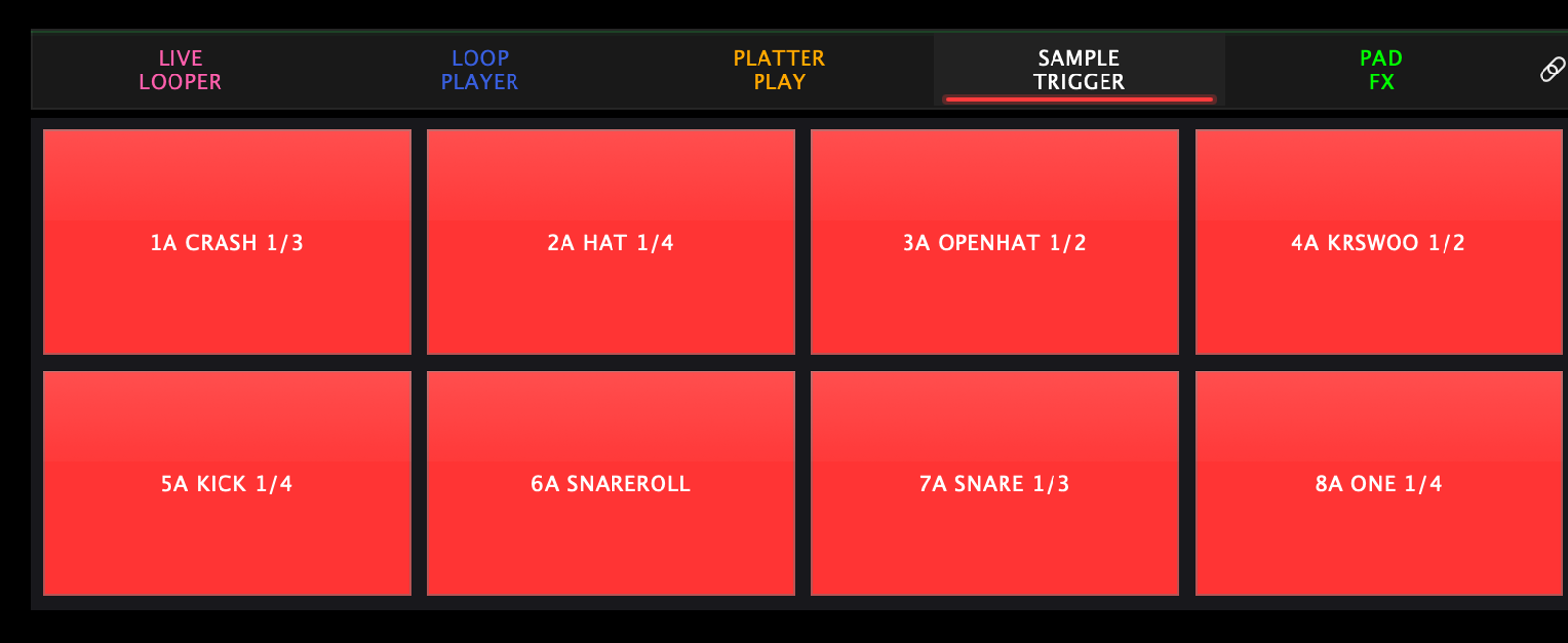
On screen each loaded pad prints its pad number and bank letter, the
sample's name, and which of its samples is up — 1A CRASH 1/3 is pad 1
in bank A, on the first of three samples.
Multi-sample pads
Assign several samples to one pad and it cycles through them —
sequential or random — so a repeated hit doesn't sound machine-gun
identical. That's the 1/3 in the pad label.
Choke groups
Samples whose filenames end in _CH1 — choke group 1 — cut each other off:
trigger one and every other playing sample in that group stops. Classic use:
closed and open hi-hats on two pads, both tagged _CH1.
A group reaches across all four banks of that deck, and it includes the pad's own layers — so re-triggering a pad in a choke group cuts the layer that was still ringing.
Building a kit folder
Name the files and the whole kit loads itself: long-press SAMPLE TRIGGER, pick the folder, and its files spread across the 8 pads with their layers and choke groups already wired.
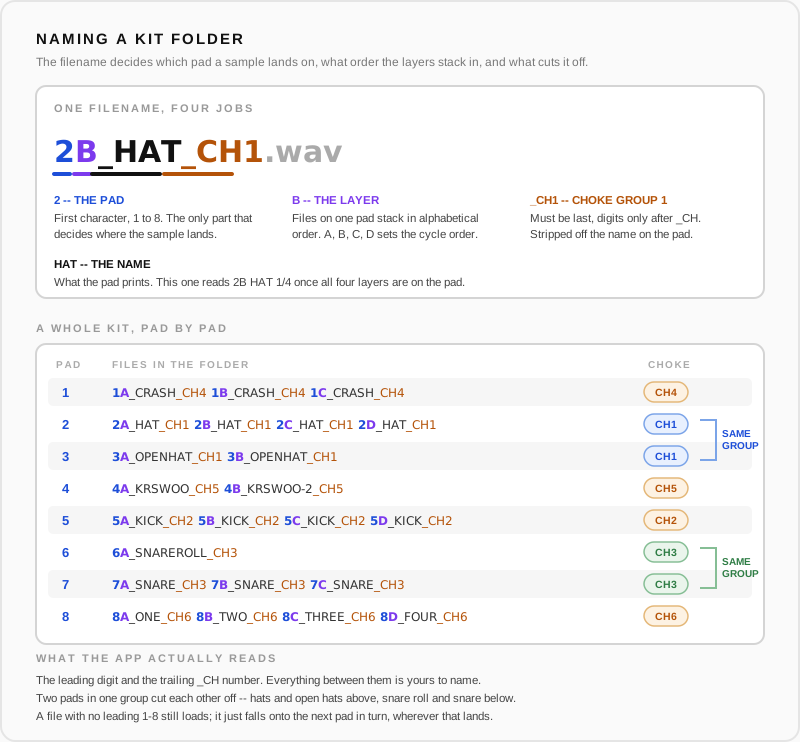
The app reads exactly two things out of a filename:
- The first character —
1to8— picks the pad. Nothing else in the name affects where a sample lands. - A trailing
_CH<number>puts it in a choke group. It has to be the last thing before the extension, with digits only after_CH, and it's stripped off the name shown on the pad.
Everything between those is yours. The letter after the digit isn't
parsed at all — files on one pad simply stack in alphabetical order, so
A, B, C, D is just a reliable way to set the cycle order.
Two things worth knowing before you build one:
- A file with no leading 1-8 still loads — it falls onto the next pad in turn, which is rarely where you wanted it. Give every file in a kit folder its digit.
- Loading a folder clears all 8 pads of that bank first, so a kit lands clean rather than mixing with what was there.
Sample capture: record hits straight off a deck
Don't have the sample as a file? Grab it live:
- In the sample browser, use the pinned Record row (or open the sample editor). The editor has two stages: Capture and Edit.
- Record the sound you want straight from a playing deck.
- In Edit: zoom and scroll the waveform, drag the start and end markers around the hit, shape the attack/fade envelope, and give it a name.
- Assign it to a pad. Done — it's saved into your Samples folder.
CHOP: slice a break across the pads
Captured a drum break? CHOP splits it across the pads so you can finger-drum it:
- Auto slice detection finds the hits; a sensitivity dial controls how eagerly it slices.
- Add or move manual slices — they survive re-running auto-detection.
- Tap a slice cell, then a pad, to assign it.
- Per-pad attack/fade and choke groups work here too.
- Takes let you keep several captures in one session and chop the best one.
Sharing kits
Built a kit you like? Right-click a folder in the sample browser:
- Export Kit — packages the pad layout into a
.skratchkitfile. - Export With Sources — includes the audio files, for sharing with someone who doesn't have your samples.
- The browser's pinned Import Kit row loads a
.skratchkitsomeone sent you.
Settings
Settings → Pad Modes → Sample Trigger has one switch: Thump Reduction, which softens the low-end bump the needle picks up when you hit a pad.

Secondary mode
Pressing SAMPLER again while the Sampler is active switches to Stems. On the on-screen mode bar that secondary is labelled FREQUENCY ISOLATOR.