
Stems
Two different things in the app pull a track apart, and it's worth knowing which one you're using.
- The Frequency Isolator works instantly on anything — vinyl included — by filtering the live audio. Nothing to prepare, and it's a filter, so the parts bleed into each other.
- Real stems are separated files, made in advance from a digital track. They take minutes to make and sound like separate recordings.
Frequency Isolator — instant, on any deck
The secondary mode of the Sampler: with the Sampler active, press SAMPLER again. (On the on-screen mode bar it's labelled FREQUENCY ISOLATOR.)
| Stem | What it isolates |
|---|---|
| Acapella | Vocals |
| Melody | Melodic/harmonic content |
| Bass | Bassline |
| Drums | Percussion |
Each one has its own enable, solo and gain per deck — kill the drums for an acapella moment, solo the bass, or rebalance a track on the fly.
On screen the top row is the four stems, left to right Acapella, Melody, Bass, Drums, each lit in its own colour while it is on; the bar reads FREQUENCY ISOLATOR in Sampler's slot:
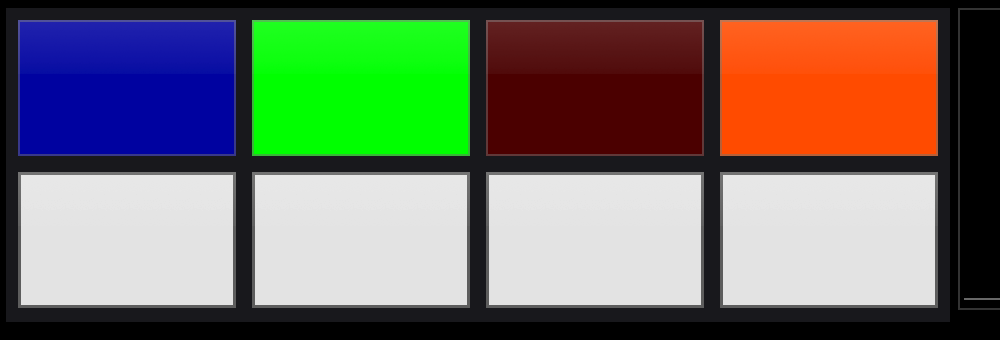
The Rane One MK1 has no dedicated stem buttons — use the pads.
Real stems — made ahead, loaded with the track
⚡ Load a track, tap the STEMS chip in the deck bar, and pick MAKE STEMS (QUICK). The chip counts up while it works; the stems bind to the track and stay cached.
The STEMS chip appears in the deck button bar for a deck holding a file. Its menu:
| Item | Does |
|---|---|
| MAKE STEMS (DEEP) | The best quality the app can produce. Roughly as long as the record itself, sometimes a little longer |
| MAKE STEMS (QUICK) | One fast pass — under a minute for a typical track on a recent Mac or iPad |
| CANCEL | Stops the job, or takes it off the queue |
| IMPORT STEMS… | Point it at a folder of stems you made elsewhere. You can also drag that folder onto the platter |
| CLEAR STEMS | Unbinds the set from the track |
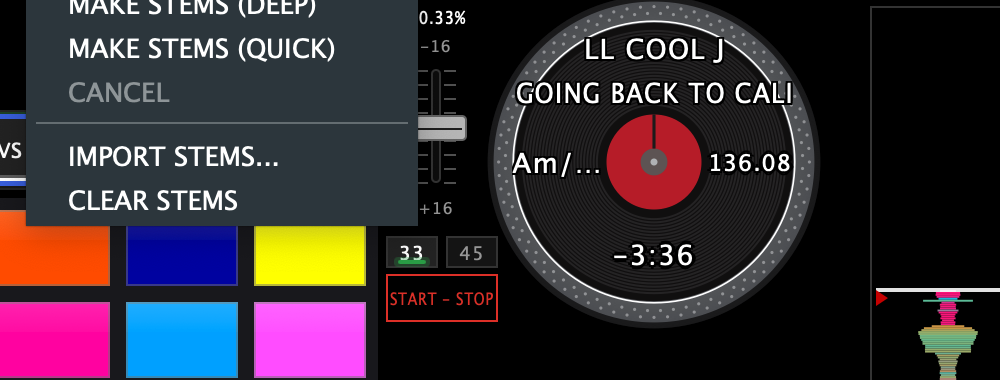
Jobs run one at a time in a queue. A deck you're waiting on jumps ahead of batch work, and the browser shows a queue line with an estimate.
Making stems for a whole crate
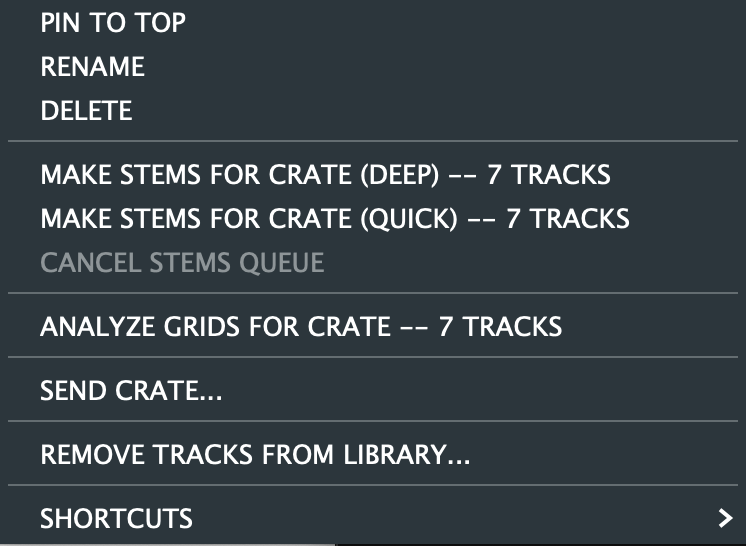
Right-click a crate or a library folder: MAKE STEMS FOR CRATE (DEEP / QUICK) and the matching CANCEL STEMS QUEUE. Tracks that already have stems at that quality are skipped. It's a pre-gig job — set it going and walk away.
Seeing what has stems
The browser's STEMS column says which tracks are ready, and at what quality: HQ (deep), Q (quick), IMP (imported). It's sortable, so you can pull the whole ready-to-play part of your library to the top.
Storage and models
Settings → Stems owns the housekeeping: where the sets live, how much space they're using against a budget you set, which separation models are installed, and the list of every set with a delete button. There's a SHOW IN FINDER (SHOW IN FILES on the iPad) on each one.
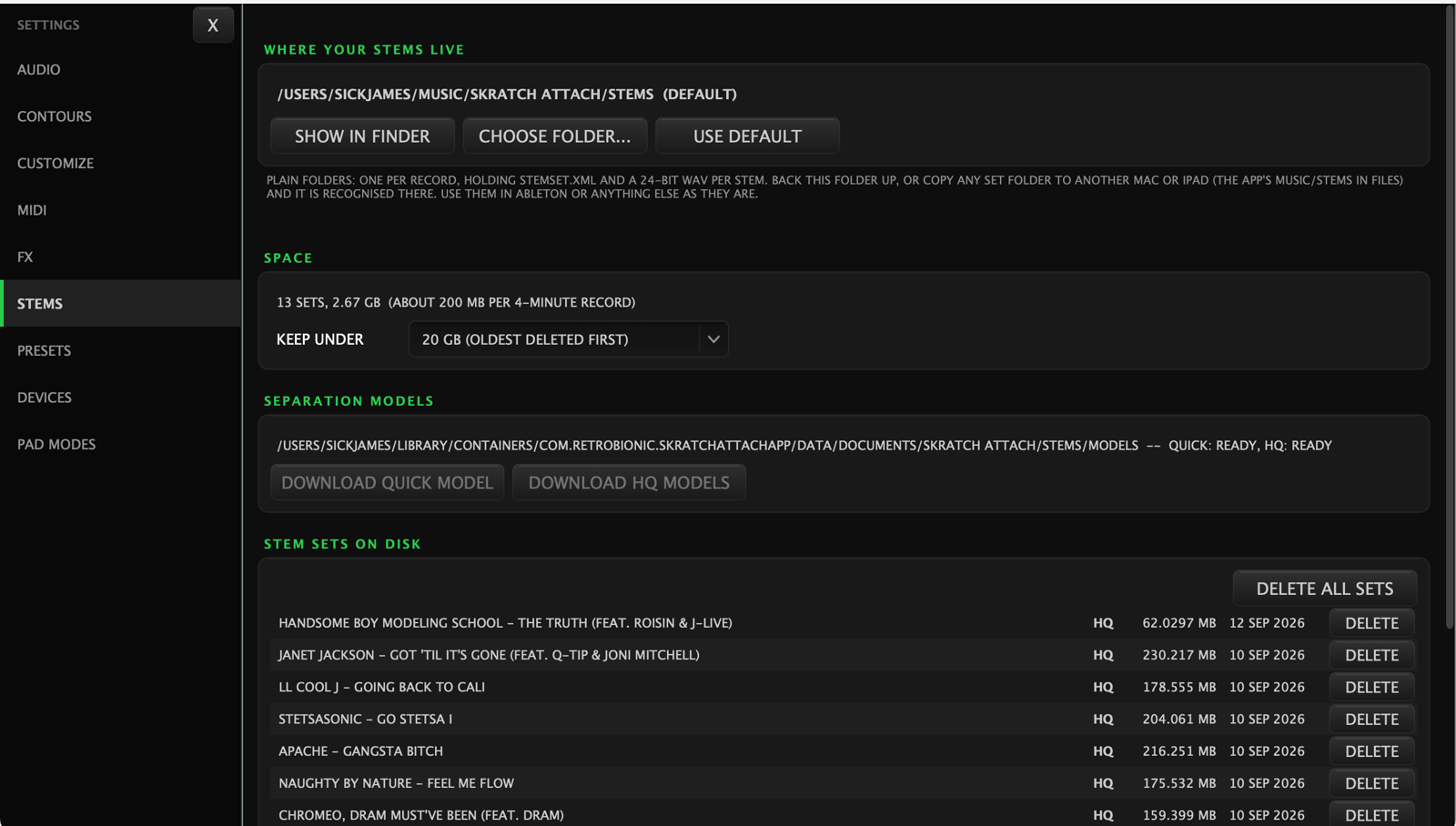
The KEEP UNDER budget deletes the oldest sets first once you pass it, so the folder can't quietly eat your disk.
Sets live in Stems inside your music folder
(~/Music/Skratch Attach/Stems on Mac, Documents/Music/Stems on iPad),
or in a folder you choose. Deep sets are big — think a couple of hundred
megabytes per record.
The separation models are downloaded on first use, not shipped with the app, so the download only happens when you actually ask for stems.