Master FX
Six software effects, engaged per deck from the hardware paddles — plus the MK2's own onboard FX engine.
The six effects
| Effect | Character |
|---|---|
| Echo | Tempo-synced delay with feedback trail |
| Reverb | Space and tail |
| Flanger | Swirling jet sweep |
| Scaler | Pitch-quantized effect keyed to your scale |
| Loop Roll | Beat-repeat rolls |
| Bit Crush | Lo-fi digital grit |
Every effect has its own card in Settings → FX — an ENABLE switch, a WET knob and a LEVEL knob, plus the one control that effect needs: FEEDBACK on Echo, ROOM SIZE on Reverb, DEPTH on Flanger, DECAY on Scaler. Loop Roll needs neither. Bit Crush has a PITCH interval instead: a major 3rd, a perfect 5th, or an octave up or down.
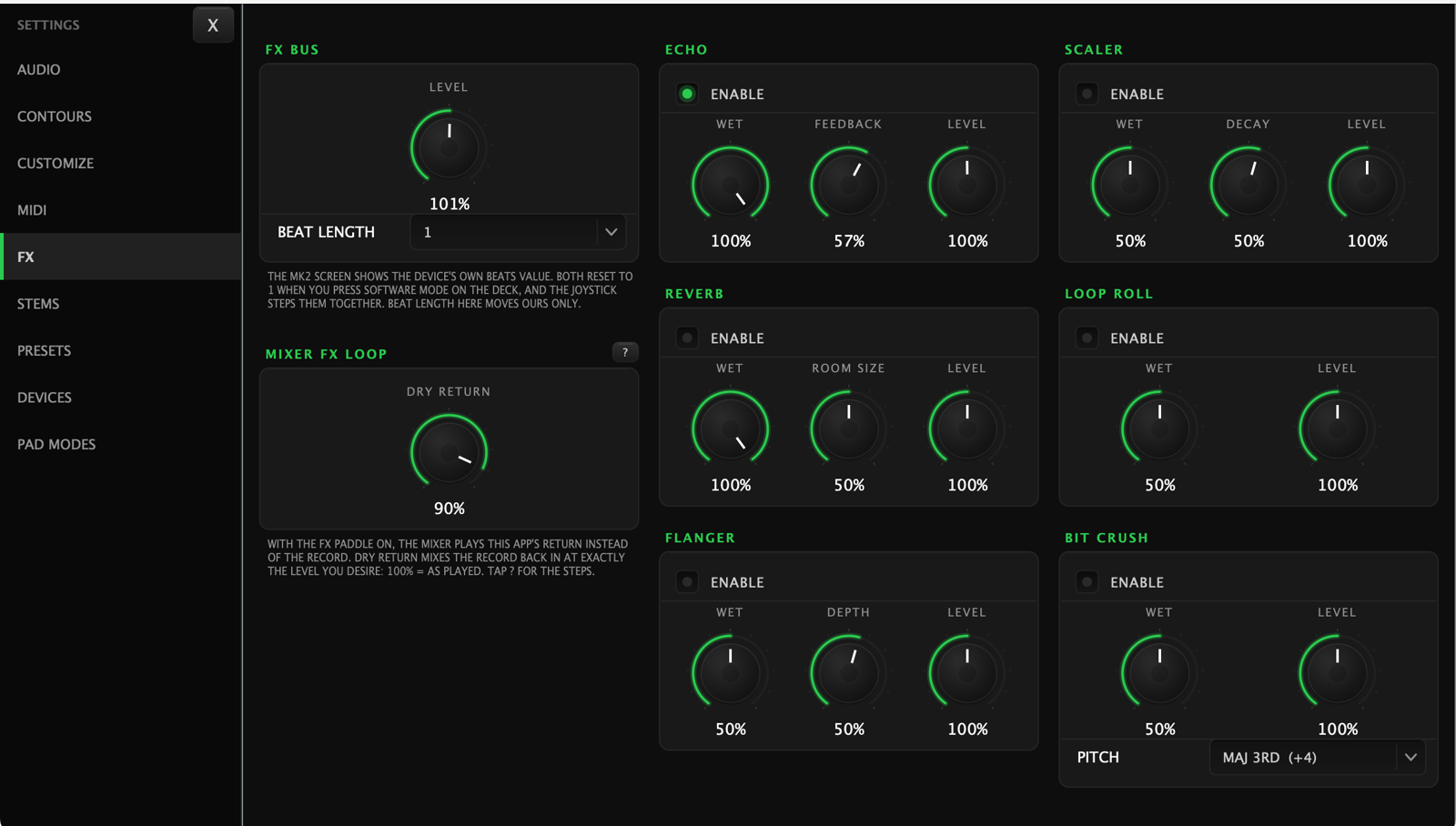
Above them, the FX BUS card carries the overall LEVEL and the BEAT LENGTH that every tempo-synced effect follows — one setting, not one per effect.
Engaging FX from the hardware
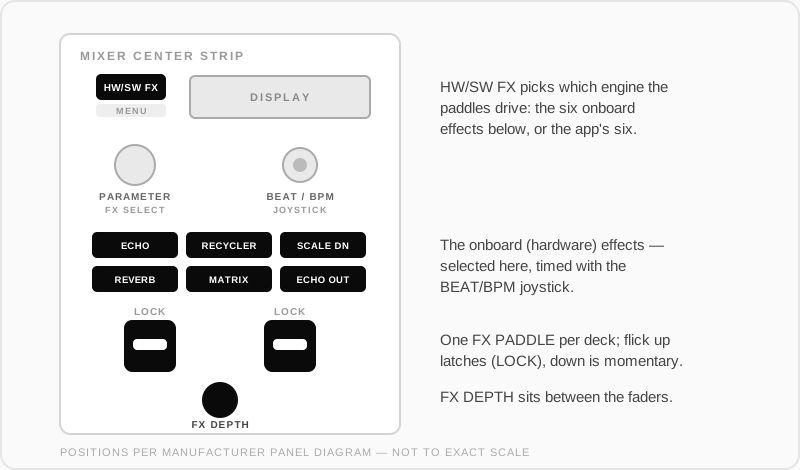
- FX PADDLE (one per deck): flick down for momentary — effect on while held, off when released. Flick up to latch it on.
- The FX select buttons choose which effect the paddle fires.
- Depth and beats controls ride the effect amount and timing per deck.
Software FX and the MK2's return: it's an insert
With the FX paddle on, the mixer plays the app's return in place of the deck channel. It doesn't add the effect on top of the record — it swaps the record for whatever the app sends back. So the app has to send the record back itself, and that's what DRY RETURN is for, on the MIXER FX LOOP card in Settings → FX:
- DRY RETURN at 100% — the record comes back exactly as played, with the effect over it. This is the setting you want.
- Lower — less of the record comes back, up to pure effect at 0%.
The card only appears while the MK2 is in software FX mode — in hardware mode the whole page collapses to a note (below).
If the record jumps in volume when you engage the paddle, DRY RETURN is above 100%. If the record disappears, it's at 0%. The card has a ? button that walks through the setup.
Beat length, and the MK2's own screen
Tempo-synced effects count in beats, the way every other DJ mixer does — "1" is one beat, not one bar.
The MK2's screen shows the device's own beats value, which the app can't write to. Both line up at the same moment: pressing SOFTWARE MODE on the MK2 sets its screen to 1, and the app matches. From there the joystick steps both together.
Hardware vs software FX
The MK2 also has its own hardware FX engine, independent of the app. The hardware/software FX toggle chooses which engine the paddles drive — flip it to hardware and the paddles fire the MK2's onboard effects instead of the six above.
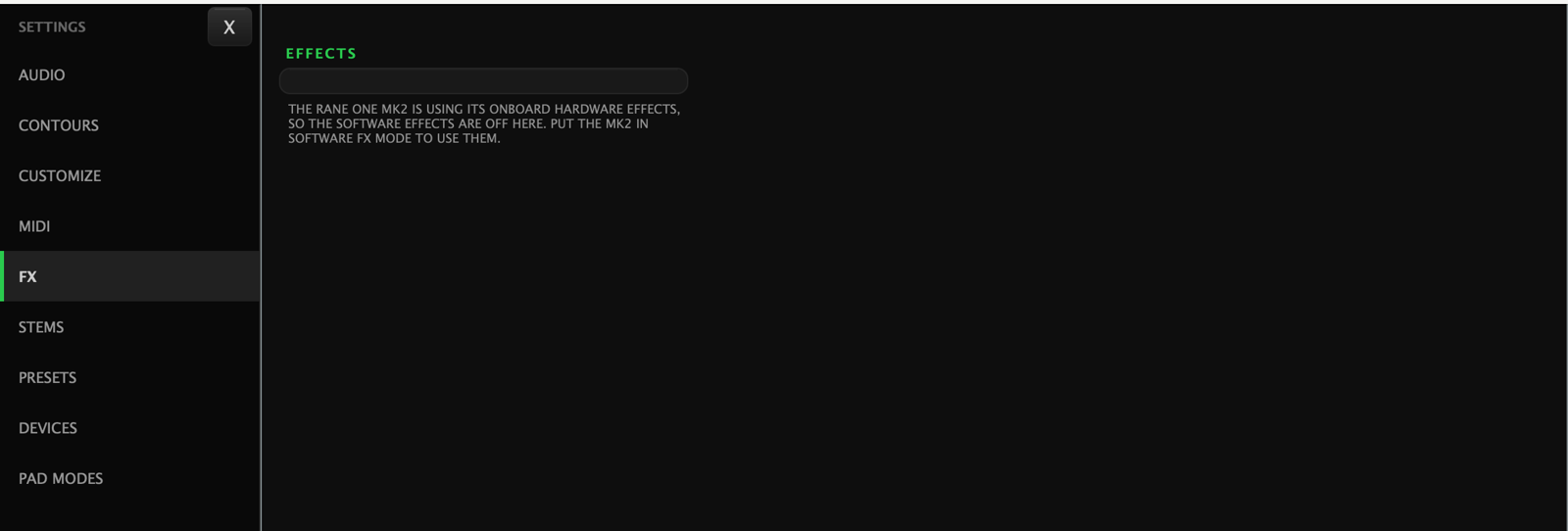
While the MK2 is on its own effects, Settings → FX says so rather than showing controls that would do nothing: