
Platter Play
Melodic scratching: the pads play musical notes by driving the platter. On the Rane One it's the third mode button, printed ROLL.
Load a tone or a sustained sound on the deck, and each pad re-pitches it to a note in your chosen key and scale — so you can play basslines and melodies with the platter as your instrument.
Pads, keys and scales
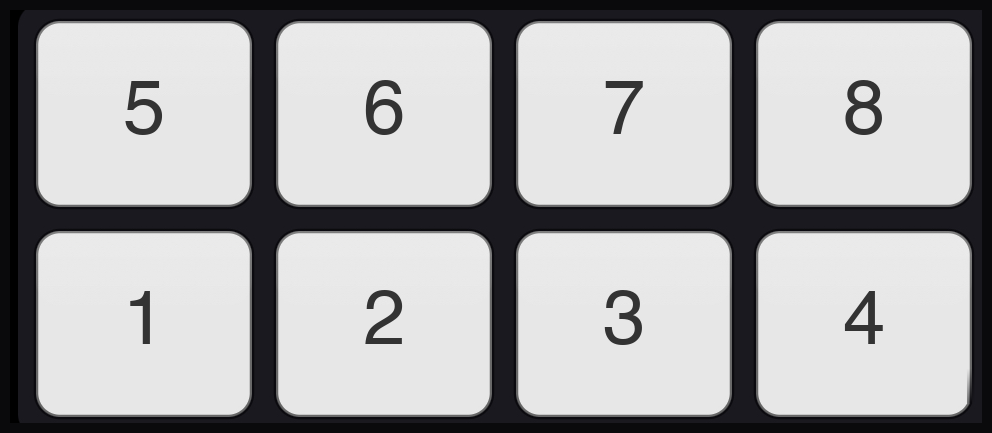
- 8 pads play 8 notes of the selected scale; 3 note banks extend the range.
- Key, scale, and octave are set per deck, so each deck can play in its own register. Your key and scale are remembered between sessions.
- Pad LEDs are note-colored, so the same note always lights the same color across banks — and the on-screen pads print the note name ("C3", "Db4"), so there's nothing to memorise.
- Notes run bottom row first: the bottom pads play the four lower notes of the bank left to right, the top pads the four higher — low to high reads like a keyboard, bottom-left to top-right.
Moving the window of notes
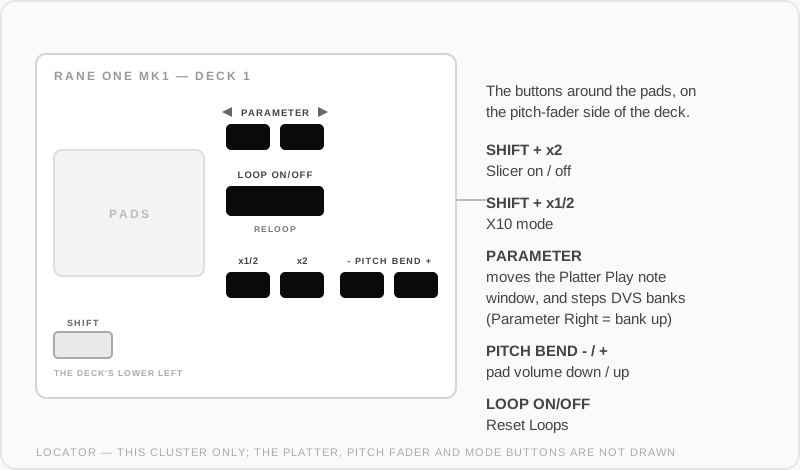
The Parameter buttons move which notes the pads are holding:
- Parameter alone jumps by a coarse step — the octave.
- Shift + Parameter nudges the window by a single note, for when the run you want straddles the edge of the bank.
Where you leave the window is remembered.
Output modes
Platter Play can produce its notes two ways — set in Platter Play Settings:
| Output | How it works |
|---|---|
| "Motor (spin the platter)" | Physically drives the platter speed — the classic tone-play feel, scratchable |
| "Pitch (shift the audio)" | Shifts the audio digitally, platter untouched |
| "Auto (key lock decides)" | Uses key lock's state to pick the right one |
Chord Voices (Poly Mode)
Turn single notes into chords, per deck. Two extra voices sit above the note you played, with adjustable cut-in points and curves, so the chord swells in as you open the control.
Voicing chooses what those two voices are:
| Voicing | Sounds |
|---|---|
| Triad | The 3rd and the 5th |
| 7th | The 3rd and the 7th — the 7th takes the 5th's place, so it costs no extra voice |
| Build | Starts as a triad and the upper voice steps from the 5th up to the 7th as you push, with a 7th Step control for where that happens |
A scale with no 7th at the degree you played simply keeps the triad, and the pad readout tells you which one is sounding.
- Mode: Position (the chord follows how far the control is open) or Time (it swells over a set time).
- Control source: the crossfader or an expression pedal.
- Trigger: Pad Press, Fader Open, or Pedal Engage.
- BPM Sync gates the voices rhythmically, from 1/16 up to a bar.
Expression pedal
Plug in an expression pedal and use the Learn button in Platter Play Settings: press Learn, move the pedal, and it's mapped. The status line walks you through it.
Settings
Settings → Pad Modes → Platter Play ("Platter Play Settings"):
- Scale and key selectors per deck
- Output mode (see above)
- "Apply Scale to MIDI Keyboard" — an attached MIDI keyboard follows the same key/scale
- Display note names as flats (Db) instead of sharps (C#)
- Chord Voices and pedal setup
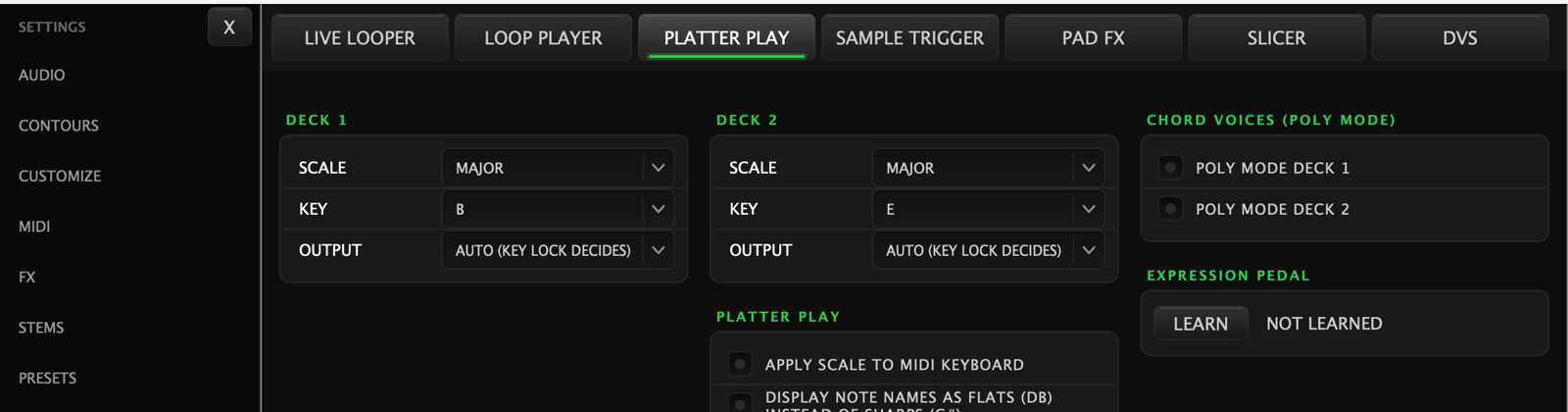
The chord controls appear once Poly Mode is switched on for that deck.
Secondary mode
Pressing ROLL again while Platter Play is active switches to User Mode.