
← App GuideRane OneSwitch device
Pad FX
Each pad triggers a performance effect on the deck's audio — hold a pad, mangle the sound, release to snap back.
On the Rane One it's the fifth mode button, printed SLICER.
Pad FX has no bank system: it's one pad per effect, always the same layout, so your muscle memory works every time.
The eight effects
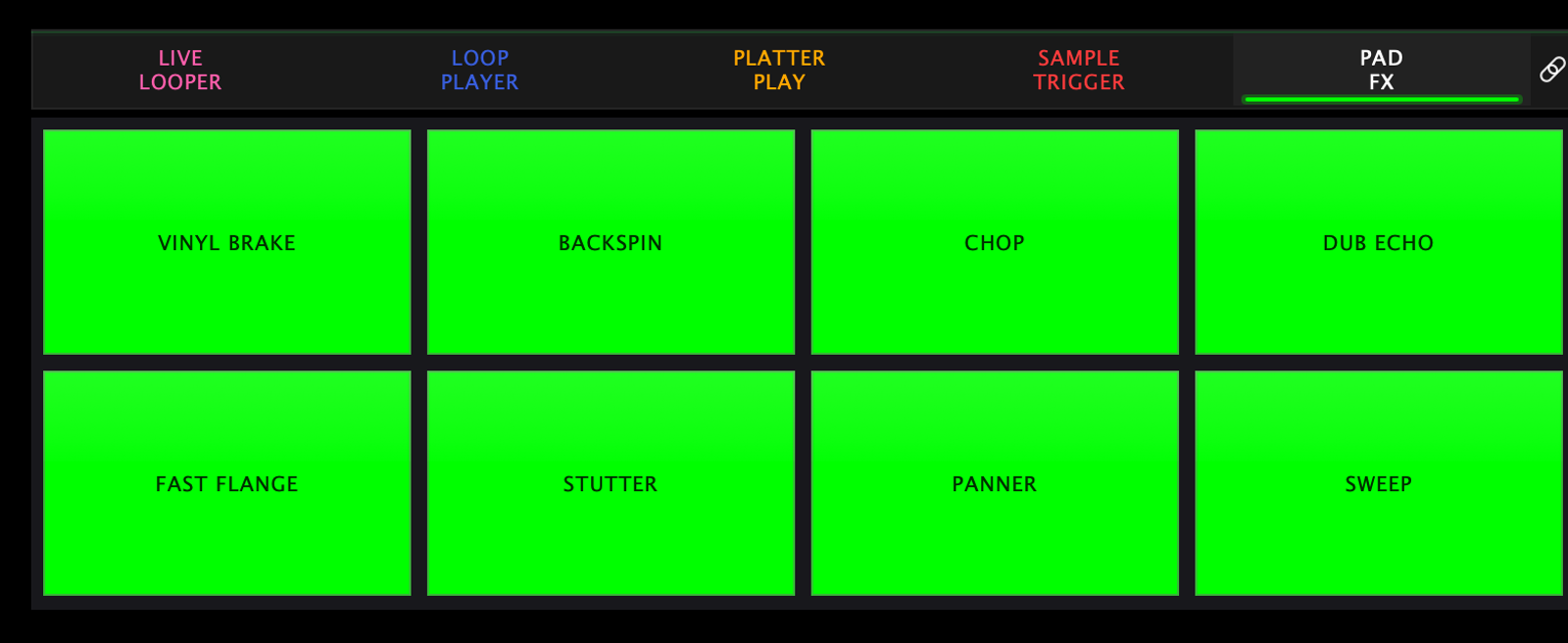
| Pad | Effect | What it does |
|---|---|---|
| 1 | Vinyl Brake | The record spins down like the motor was cut |
| 2 | Backspin | Throws the track backwards like a hand spinback |
| 3 | Chop | Rhythmic gate — chops the audio on and off |
| 4 | Dub Echo | BPM-synced feedback delay that trails into space |
| 5 | Fast Flange | Quick jet-engine sweep |
| 6 | Stutter | Rapid-fire micro repeats |
| 7 | Panner | Bounces the sound left and right |
| 8 | Sweep | Filter sweep across the deck |
Time-based effects (Dub Echo, Chop, Stutter, Panner) follow the tempo, so they stay musical at any BPM.
Settings
Settings → Pad Modes → Pad FX:
| Setting | What it does |
|---|---|
| BPM Effector — "Drive PadFX timing from master BPM" | Times the effects from the master tempo instead of the deck's own |
| Beat Division | How long a repeat, chop or echo lasts, from the fastest division up to a bar. The default is 1/4 |
The beat division is also on the hardware and on the pad-mode strip, so you can change it mid-phrase without opening settings.

Secondary mode
Pressing the fifth mode button again while Pad FX is active switches to User Mode.
← All guides2026-09 UI