
Loop Player
Play pre-made loop files from disk, tempo-matched to your set. On the Rane One it's the second mode button, printed SAVED LOOP.
Where Live Looper records loops on the fly, Loop Player is your library of prepared loops — drum breaks, basslines, whole sections — ready to drop in.
Pads and banks
- 8 pads × 4 banks per deck — 32 loops per deck.
- Tap a pad to start its loop; tap again to stop.
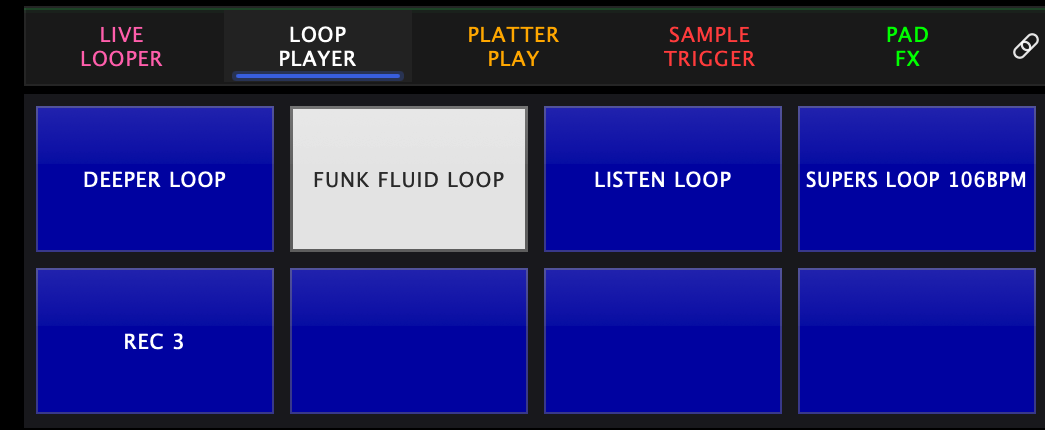
- On-screen pads print the loop's name, so you can read the grid instead of remembering it.
- A loaded pad wears its bank's colour; a pad that is playing turns white.
- Loops load in the background, so browsing and assigning doesn't interrupt the audio.
Loading loops onto pads
- Shift + hold a pad to open the loop browser for that pad — the SHIFT button on the controller, or your keyboard's shift key if you're working on screen without one.
- Drop your loop collection into the Loops folder and it shows up in the browser. On Mac the app keeps a shortcut to it at ~/Music/Skratch Attach Loops (the folder itself lives inside the app's own Documents folder, which is not somewhere you'd navigate to by hand). On iOS it's the app's Loops folder in Files.
The browser opens as the LOOP BROWSER, rooted at your Loops folder, with RECORD NEW LOOP pinned at the top and EDIT PAD LOOP under it when the pad you held is already loaded. The badge top-left names the target: pad, deck and bank.
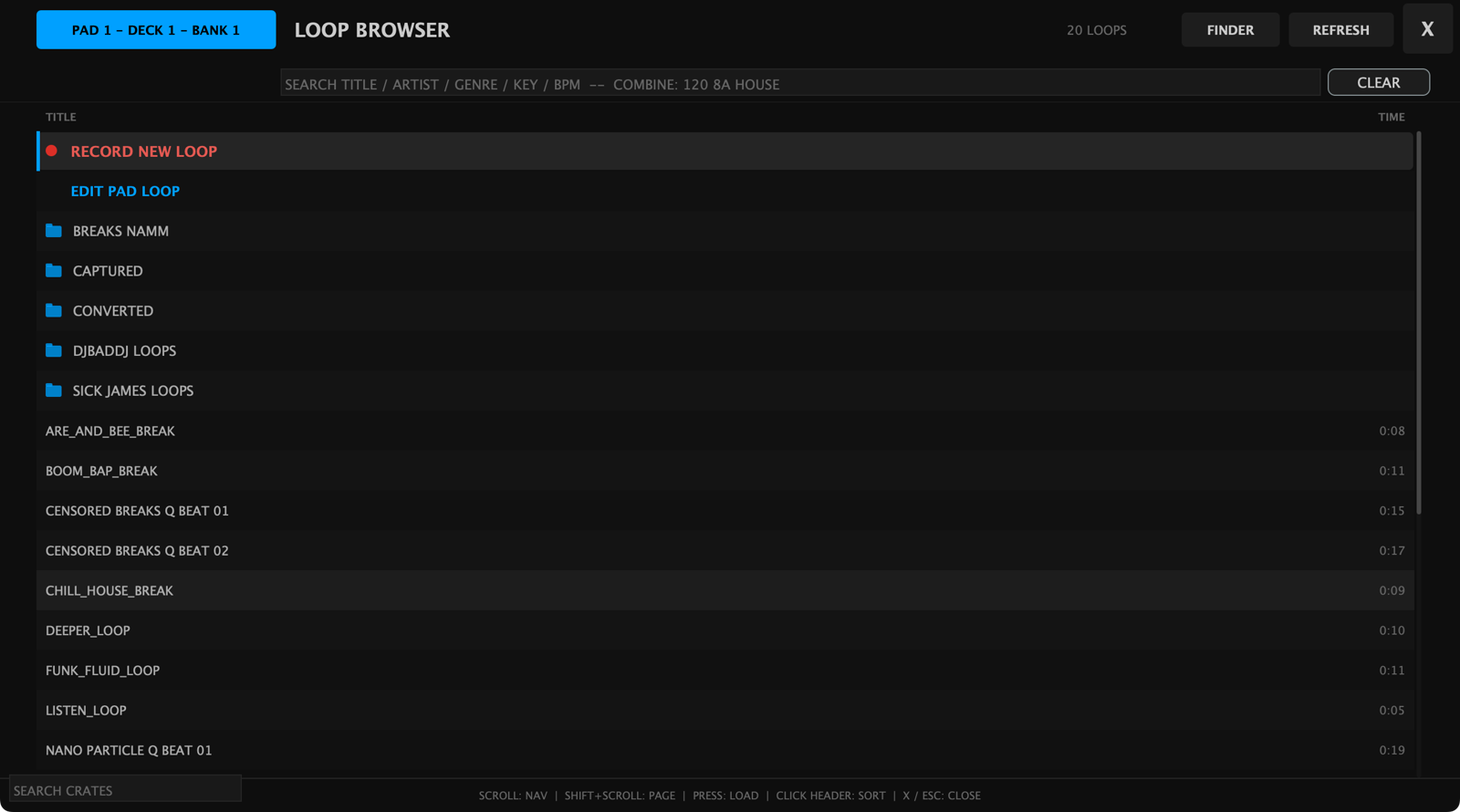
REFRESH rescans the folder, so loops you add while the app is running show up without a restart, and FINDER opens the folder on your Mac.
To fill a whole bank at once, long-press LOOP PLAYER on the on-screen pad mode bar. The same browser opens with one row pinned instead — LOAD THIS FOLDER TO 8 PADS — which loads whatever folder you have navigated into across all 8 pads of the current bank. Navigate to the folder you want first, then hit the row.
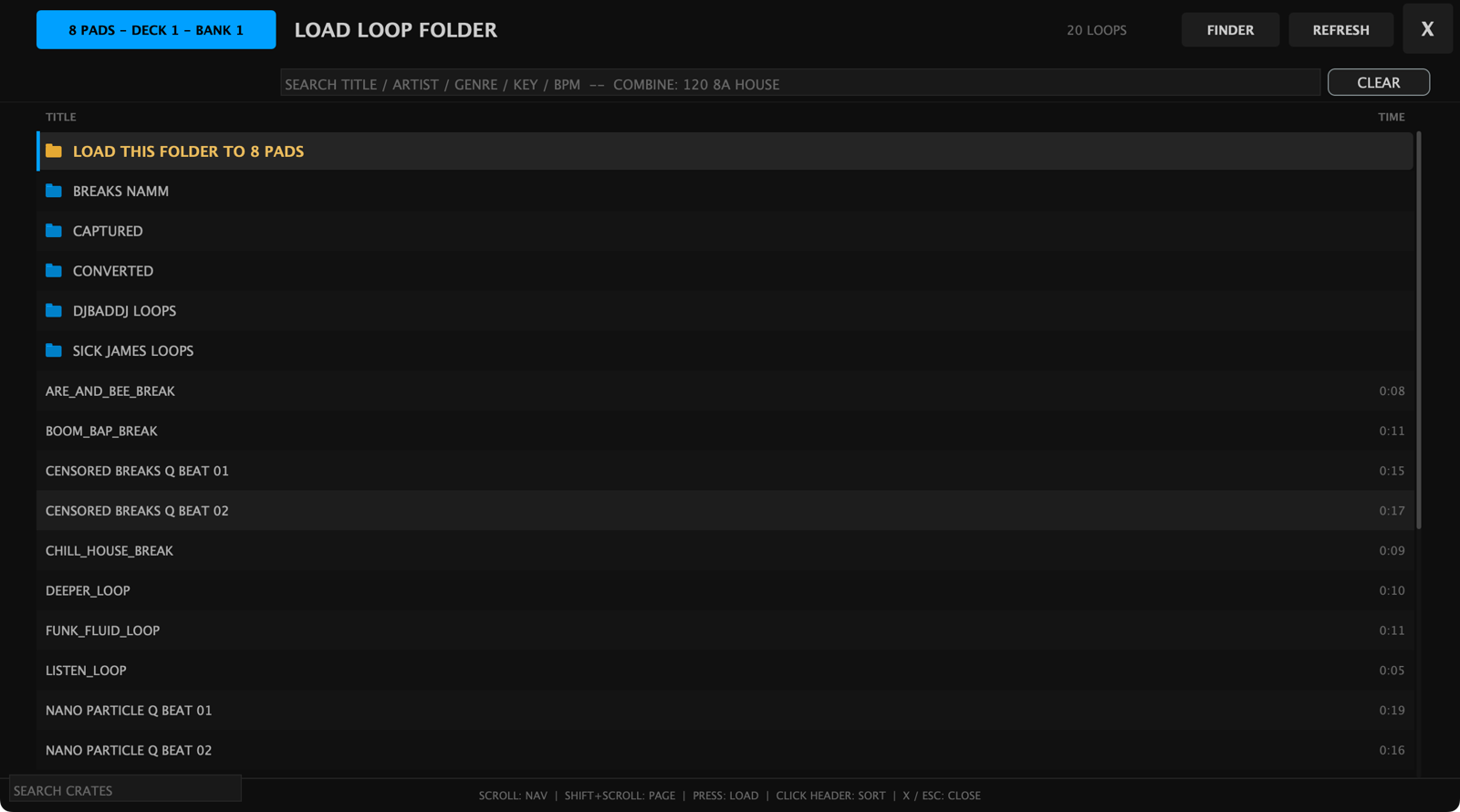
On an iPad with no controller attached, that long-press is also the way to reach the single-pad browser: hold a pad with one finger and long-press LOOP PLAYER with another, and the browser opens for that one pad.
Tempo matching
Tempo matching needs the metronome on. With it running, Loop Player detects each loop's BPM and time-stretches it to the metronome tempo, and a triggered loop waits for the downbeat of the next bar before it starts — so everything you trigger lands in time, on the "1".
With the metronome off, loops play exactly as recorded: no stretching, no waiting.
Settings
Settings → Pad Modes → Loop Player:
| Setting | What it does |
|---|---|
| "Auto-detect BPM when loading loops" | Analyzes each file's tempo on load so it can be stretched to match |
| "Cache stretched loops for large tempo changes" | Pre-renders stretched versions so big tempo jumps stay glitch-free |

Secondary mode
Pressing SAVED LOOP again while Loop Player is active switches to DVS — your control vinyl drives the audio: scratch sounds on bank 1, a whole song on bank 2.