
← App GuideRane OneSwitch device
Master FX
Six software effects, engaged per deck from the hardware paddles.
The six effects
| Effect | Character |
|---|---|
| Echo | Tempo-synced delay with feedback trail |
| Reverb | Space and tail |
| Flanger | Swirling jet sweep |
| Scaler | Pitch-quantized effect keyed to your scale |
| Loop Roll | Beat-repeat rolls |
| Bit Crush | Lo-fi digital grit |
Every effect has its own card in Settings → FX — an ENABLE switch, a WET knob and a LEVEL knob, plus the one control that effect needs: FEEDBACK on Echo, ROOM SIZE on Reverb, DEPTH on Flanger, DECAY on Scaler. Loop Roll needs neither. Bit Crush has a PITCH interval instead: a major 3rd, a perfect 5th, or an octave up or down.
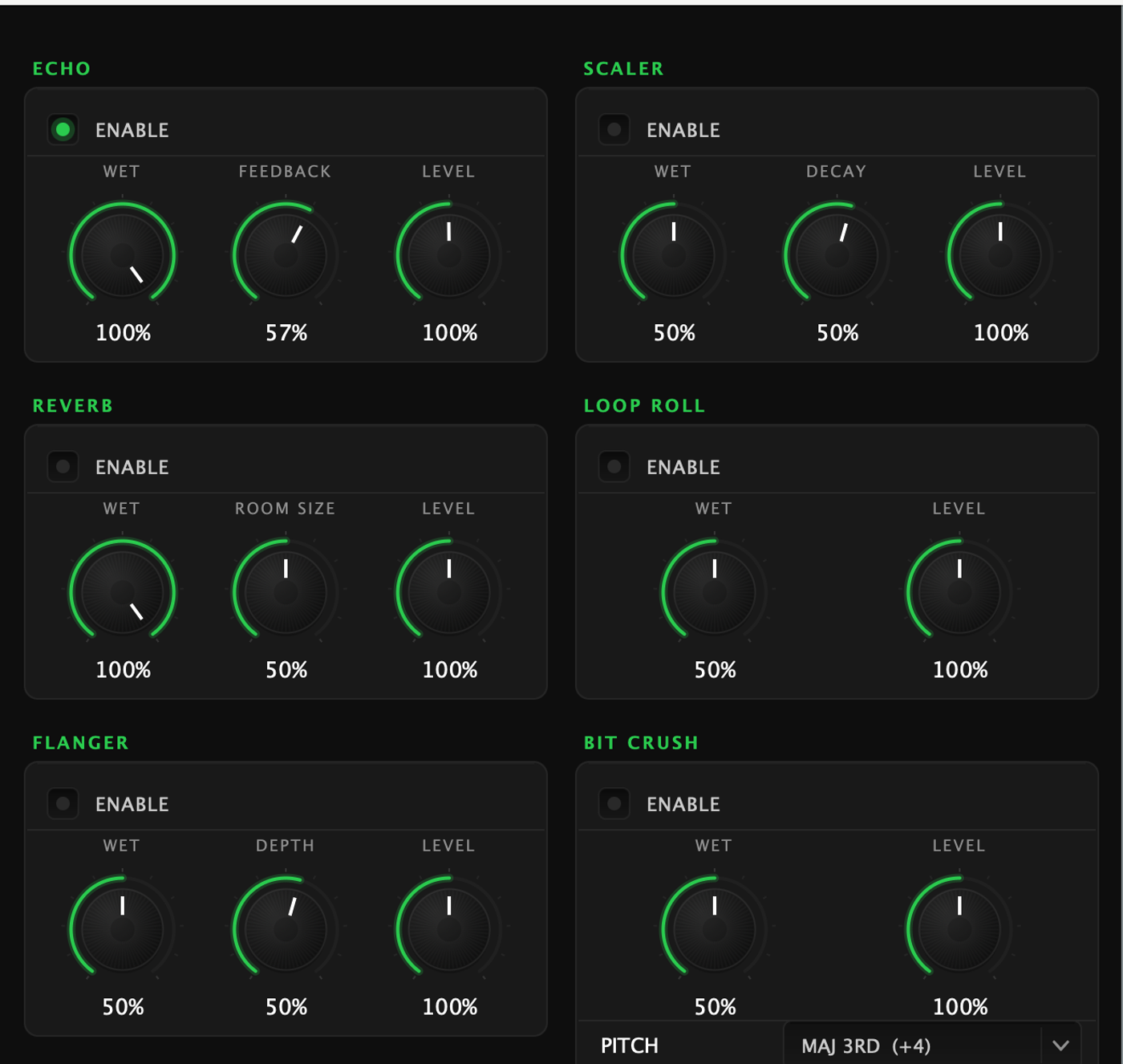
Above them, the FX BUS card carries the overall LEVEL and the BEAT LENGTH that every tempo-synced effect follows — one setting, not one per effect.
Engaging FX from the hardware
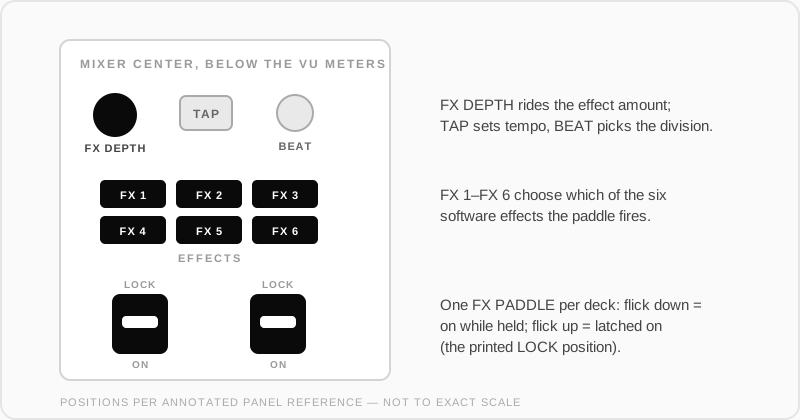
- FX PADDLE (one per deck): flick down for momentary — effect on while held, off when released. Flick up to latch it on.
- The FX select buttons choose which effect the paddle fires.
- Depth and beats controls ride the effect amount and timing per deck.
← All guides2026-09 UI